Experience Hub · In-app messages

Content that lives inside your app.

Inline in-app messages put your campaigns inside the app's own layout. Your app team adds a placement once. From then on, Synerise decides what fills it for each user, in real time.

1setup per placement by your app team
2builders: code editor, drag and drop
3trigger modes: Automatic, Event, On demand
4Mobile SDKs: iOS, Android, React Native, Flutter
Two types, one channel

Part of the screen, not on top of it.

An inline in-app message is embedded in the app's layout. It appears in a placement, a spot your app team sets up once. The placement sets the size and the message fills it edge to edge. You pick the type, Inline or Overlay, when you create an in-app campaign.

Inline
Overlay
InlineOverlay
Where it showsInside a container in the app's layoutOn a layer above the content
PositionAnywhere in the appTop, bottom or fullscreen
ScopeFrom a single banner to a whole viewCompact messages
TriggerAutomatic, Event, On demandEvent
Audience, schedule, limitsYesYes
PersonalizationJinjava inserts and snippetsJinjava inserts and snippets

Both types run on the same behavioral AI infrastructure as your recommendations and AI Search. Use them side by side.

From placement to personal screen

Your app team sets it up once. Your campaigns take it from there.

  1. Add a placement.

    Your app team adds a placement to a screen and gives it a key. The placement defines where the content sits and how much room it has.

  2. Build the content in Synerise.

    Create an in-app campaign, choose Inline and enter the placement key. Build the message in the code editor or the drag and drop builder.

  3. Choose when it appears.

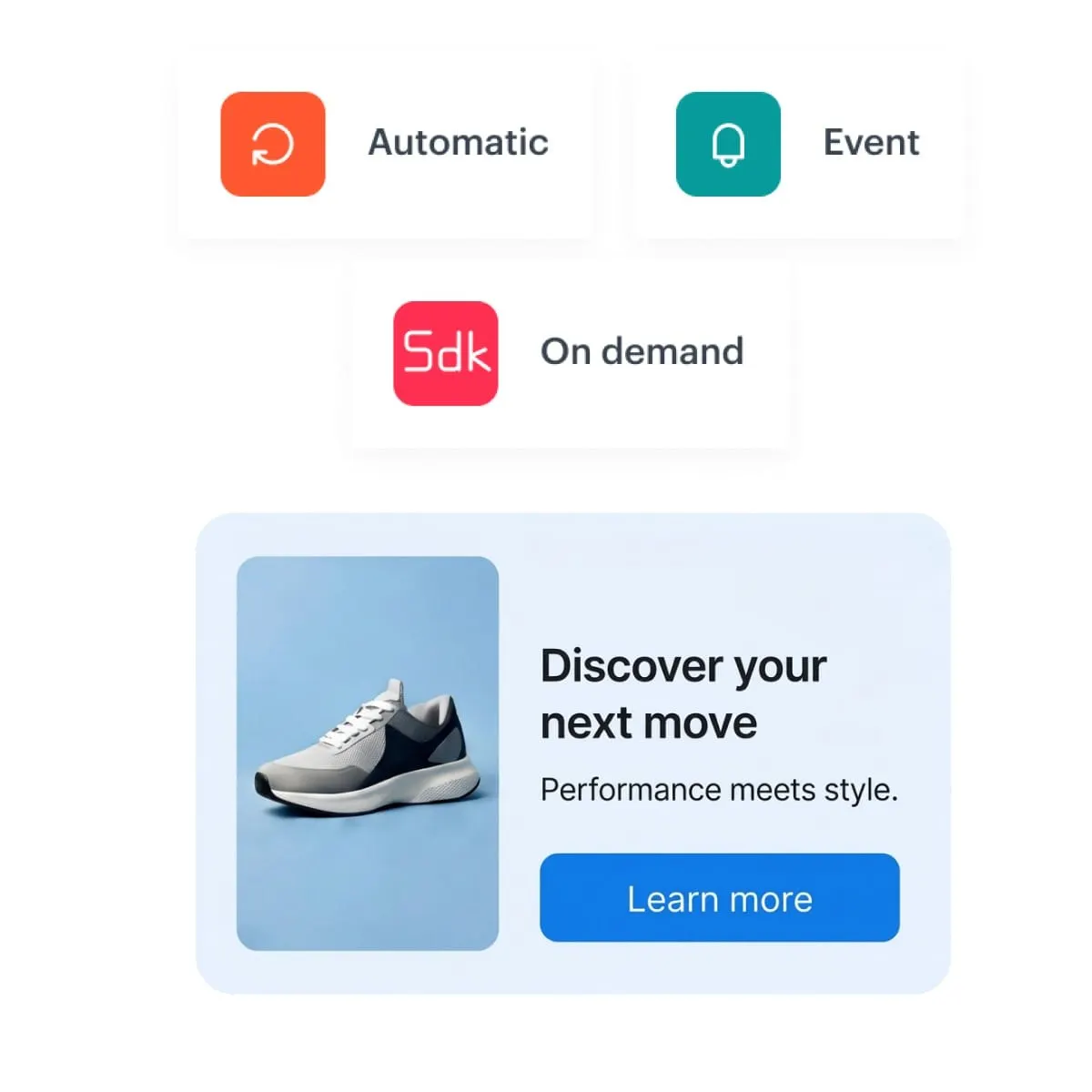
    Automatic shows it as soon as the screen opens. Event shows or refreshes it after a user action. On demand shows it when the app asks through the SDK.

  4. Synerise fills it for each user.

    Content renders and personalizes per user in real time. Publish a change and the next person to open that screen sees the new version.

Automatic, Event and On demand trigger modes above a banner in a mobile placement

Key capabilities

What a campaign can do once it owns a placement in your app.

Any slot in the layout

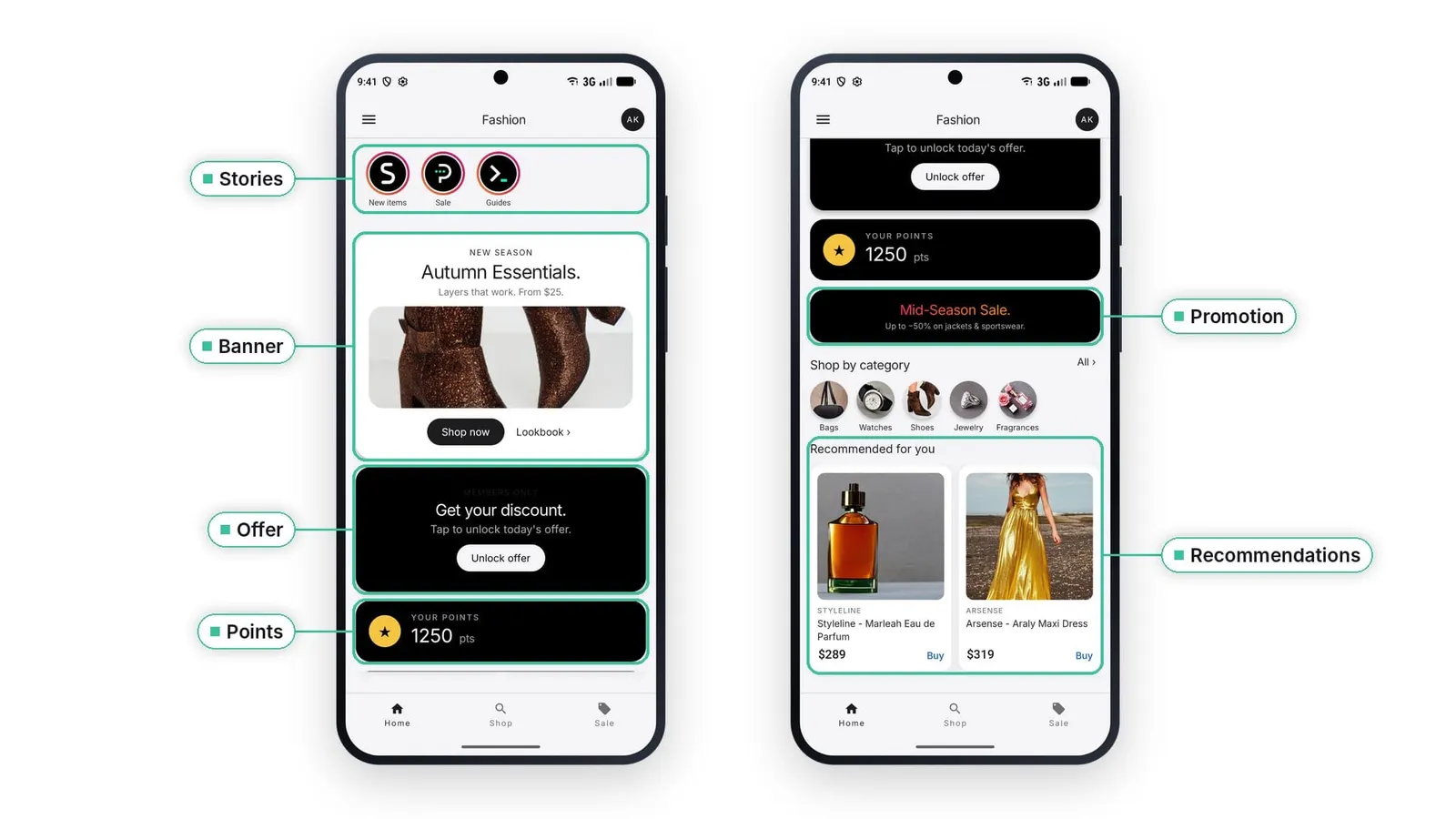
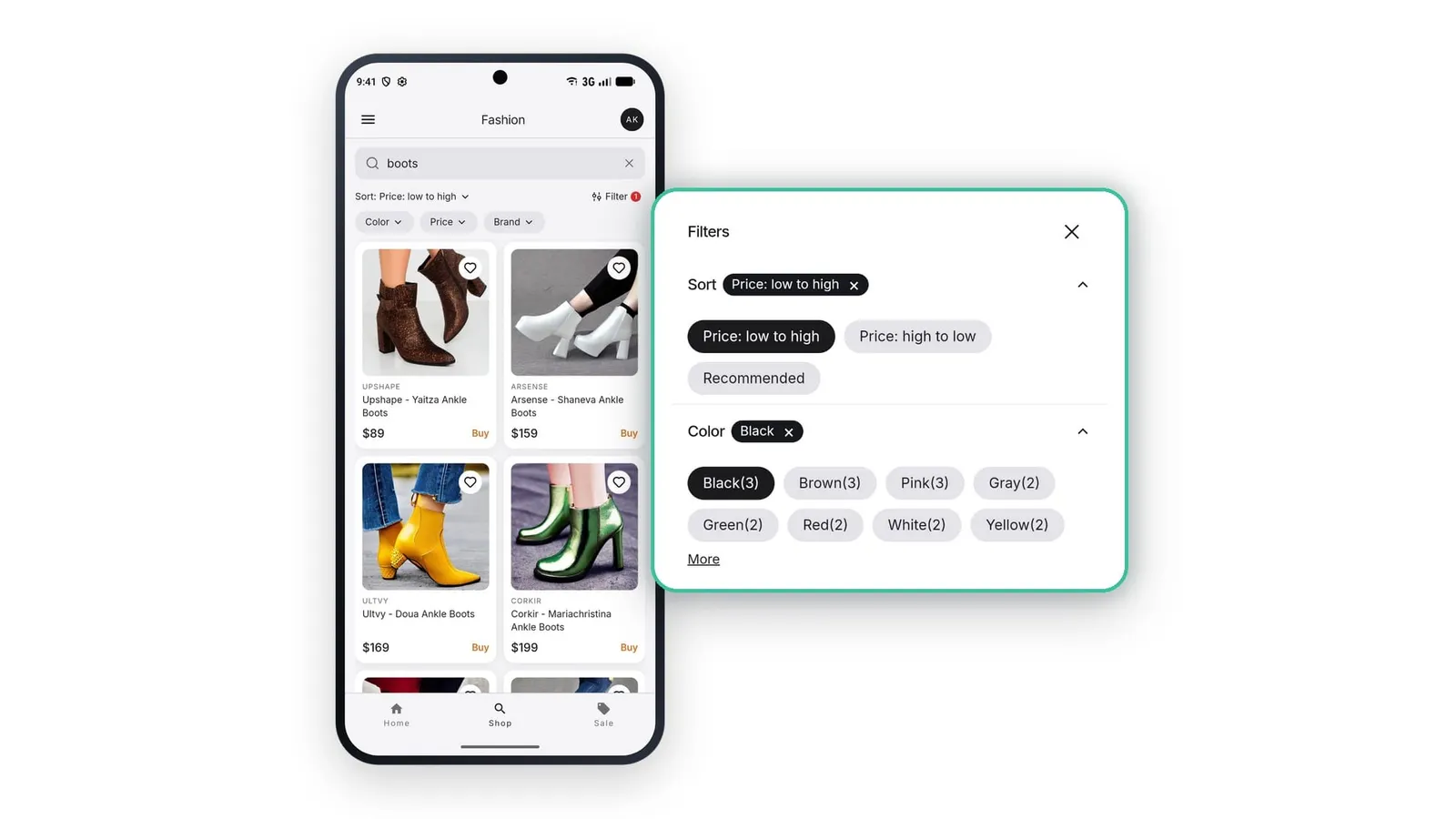
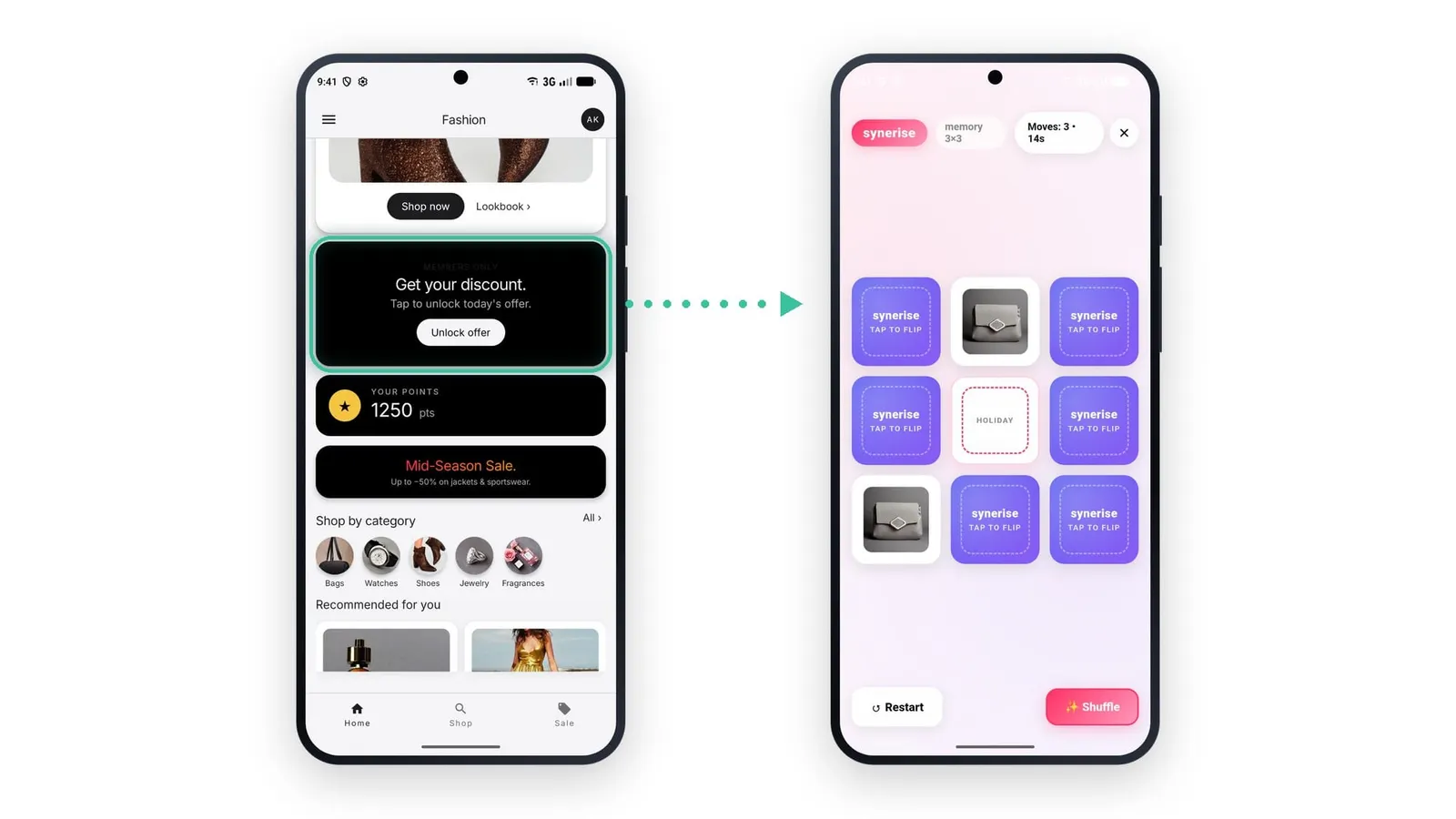
A placement can be a banner, a section, a carousel or a story feed. It can also carry a working AI Search experience or a full interactive game, delivered as one inline in-app.

  • Content fills the placement edge to edge
  • Looks and scrolls like a native part of the app
  • The rest of the screen works as usual
  • The same message can sit on any screen
Built and changed in Synerise

The campaign owner controls what the placement shows and how it looks. The code editor can expose configuration fields, so text, color and images become simple inputs.

  • Code editor or drag and drop builder
  • Configuration fields for text, color and images
  • A/B/x variants with a control group
  • A change is live the moment the campaign is published

Personal for every user

Each user can see a different screen. Content is decided at the moment the screen loads, on the same behavioral signals that drive your email, push and recommendations.

  • Rendered and personalized per user in real time
  • Audience by segmentation or conditions built in the campaign
  • Jinjava inserts and snippets inside the content
  • Recommendations, AI Search, promotions and loyalty elements in one screen

Memory on the device

Each in-app has its own storage on the device. One message picks up where a user left off, and returning users see something different from first-time users.

  • Stories start where the person stopped watching
  • First visit and return visit can differ
  • Storage belongs to the single in-app
Read more about In-App Storage on Pulse

The controls you already use

Inline in-apps take the campaign controls from overlay in-apps. When several campaigns match one placement, the highest priority campaign shows.

  • Scheduling, with days and hours
  • Priority from 1 to 1000, where 1 is highest
  • Frequency limit
  • Display delay
Behavioral AI infrastructure

The infrastructure that fills the placement also brings agents into it.

An inline placement is a surface for everything Synerise decides in real time. That includes agents.

In the app

Synerise Customer Agent

Synerise Customer Agent can run in an inline placement, right inside the app's layout.

See Synerise Customer Agent
In the platform

Synerise System Agent

When you set up an inline campaign, you can ask Synerise System Agent for help.

See Synerise System Agent
In the app

Selected examples

A starting point, not the full list.

Get people to use their points.

What the user sees

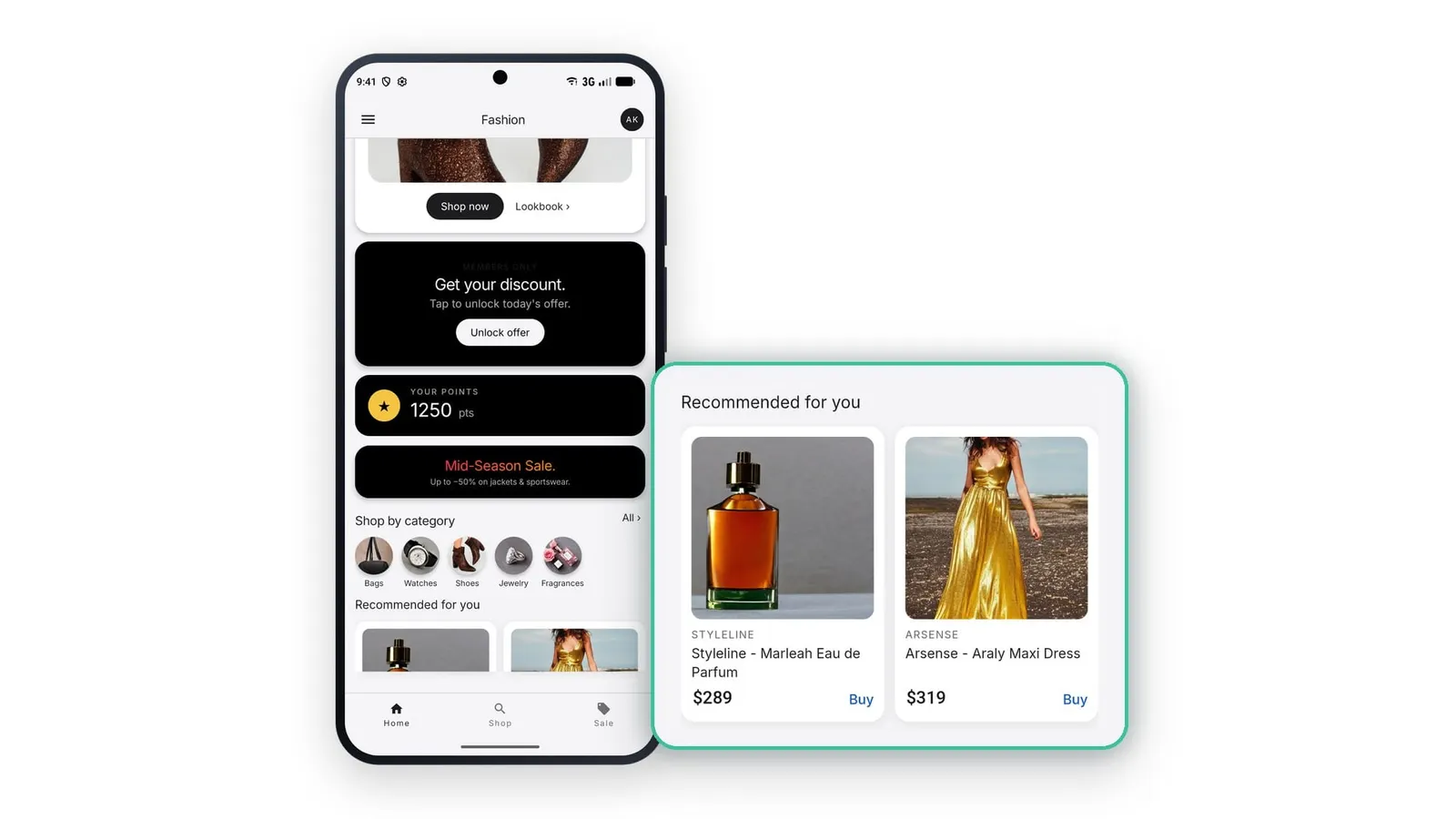
Their points balance the moment the app opens, a game to play for a promotion, and promotions picked for them.

How it's built

Each element is its own inline in-app. The points balance uses the Automatic trigger, so it is there as soon as the screen opens.

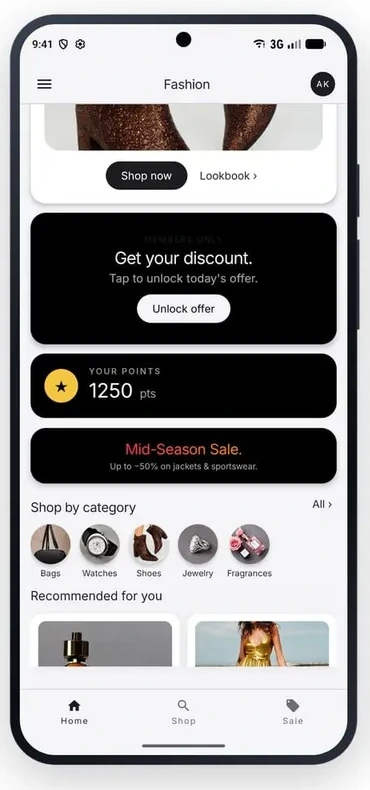
Home screen with points balance and enlarged recommendations panel
Explore in-app use cases

"We built inline in-apps with one goal: to make a mobile app as easy to personalize as a website. Your app team defines a placement once, and from then on the logic, the look and the content live in Synerise."

Klaudia Pociecha, Senior Product Manager, Synerise
Mobile SDK

One component per placement. The app stays in charge of its layout.

Your developers embed an inline in-app view in the screen and give it a placement key. The app sets the size of the component and the content fills it. Links, deep links and custom actions from the message come back to the app through SDK callbacks, so navigation stays in your code.

  • The content can ask the app for more or less room, and the app decides how to resize.
  • Several views can share one placement key.
  • On demand campaigns render when the app calls the SDK render method.
Read the inline in-app documentation
SDKInline in-apps available from
iOS6.0.0
Android6.15.0 (6.16.0 or newer recommended)
React Native2.0.1
Flutter3.0.0

Frequently asked questions

What is an inline in-app message?

An in-app message embedded in the app's own layout instead of shown as an overlay. It appears in a placement your app team sets up once, and a Synerise campaign decides what fills it for each user.

Do inline in-app messages work alongside the rest of the app?

Yes. Each one fills a defined placement in the layout, and the person keeps using every other part of the screen as usual.

Who builds and edits the content, and where?

Content is built and managed in Synerise, in a code editor or a drag and drop builder. The code editor can expose text, color and image fields, so a campaign owner updates them directly.

Do the controls from overlay in-app messages still apply?

Yes. Scheduling, priorities and segmentation all carry over. When several campaigns match one placement, the highest priority campaign shows.

Is the content personalized on the same behavioral data as our other channels?

Yes. Content is rendered and personalized per user in real time, on the same behavioral signals that drive your email, push and recommendations. It is decided at the moment the screen loads.

Do Synerise agents work with inline in-app messages?

Yes. Synerise Customer Agent can run in an inline placement, and Synerise System Agent can help while you set up the campaign.

Which mobile platforms are supported?

iOS, Android, React Native and Flutter. Inline in-apps are available from iOS SDK 6.0.0, Android SDK 6.15.0, React Native SDK 2.0.1 and Flutter SDK 3.0.0.

How many inline in-apps should one app run?

Plan for up to 10 inline in-apps per placement key and up to 20 active in-app messages in the app at one time. These limits keep rendering fast and battery use low.

Can we A/B test an inline in-app?

Yes. A campaign can hold several content variants and a control group. Each user is assigned one variant and keeps it.

Technical specifications

Inline in-app messages at a glance.

FeatureInline in-app messages
WhereIn-app messages, Synerise Experience Hub
TypeIn-app message shown inside the app's own layout
PersonalizationRendered and personalized per user in real time
Trigger modesAutomatic, Event, On demand
BuildersCode editor, drag and drop builder
Campaign controlsScheduling, priorities, segmentation
Several campaigns on one placementHighest priority campaign shows
On-device storageEach inline in-app saves and reads its own data on the device
AgentsSynerise Customer Agent runs in an inline placement. Synerise System Agent helps with campaign setup.
Mobile SDKsiOS 6.0.0, Android 6.15.0, React Native 2.0.1, Flutter 3.0.0 or newer
AvailabilityGenerally available