Pricing

Snippet Metadata, Now With Direct Object Access

Stop chasing details across tabs. Now, every predefined snippet comes packed with real-time metadata and direct links to related objects. With contextual insights built in, your team stays aligned, decisions get faster, and your build flow stays uninterrupted.

Stop guessing. Start executing.
Now, every predefined snippet comes with rich metadata and instant navigation, helping you stay in flow and in control.

Overview

How many tabs do you need to answer one question?
"What is the type of this recommendation?"
“How many unassigned vouchers are in the pool?”
"Who owns this recommendation?"

Until now, even small checks meant bouncing between menus, documentation, and different views - slowing down your work and breaking focus.

The latest upgrade introduces a smarter way to work with Snippets. With a built-in metadata panel and direct access to related objects, every answer is exactly where you need it - contextual, real-time, and one click away.

What’s New

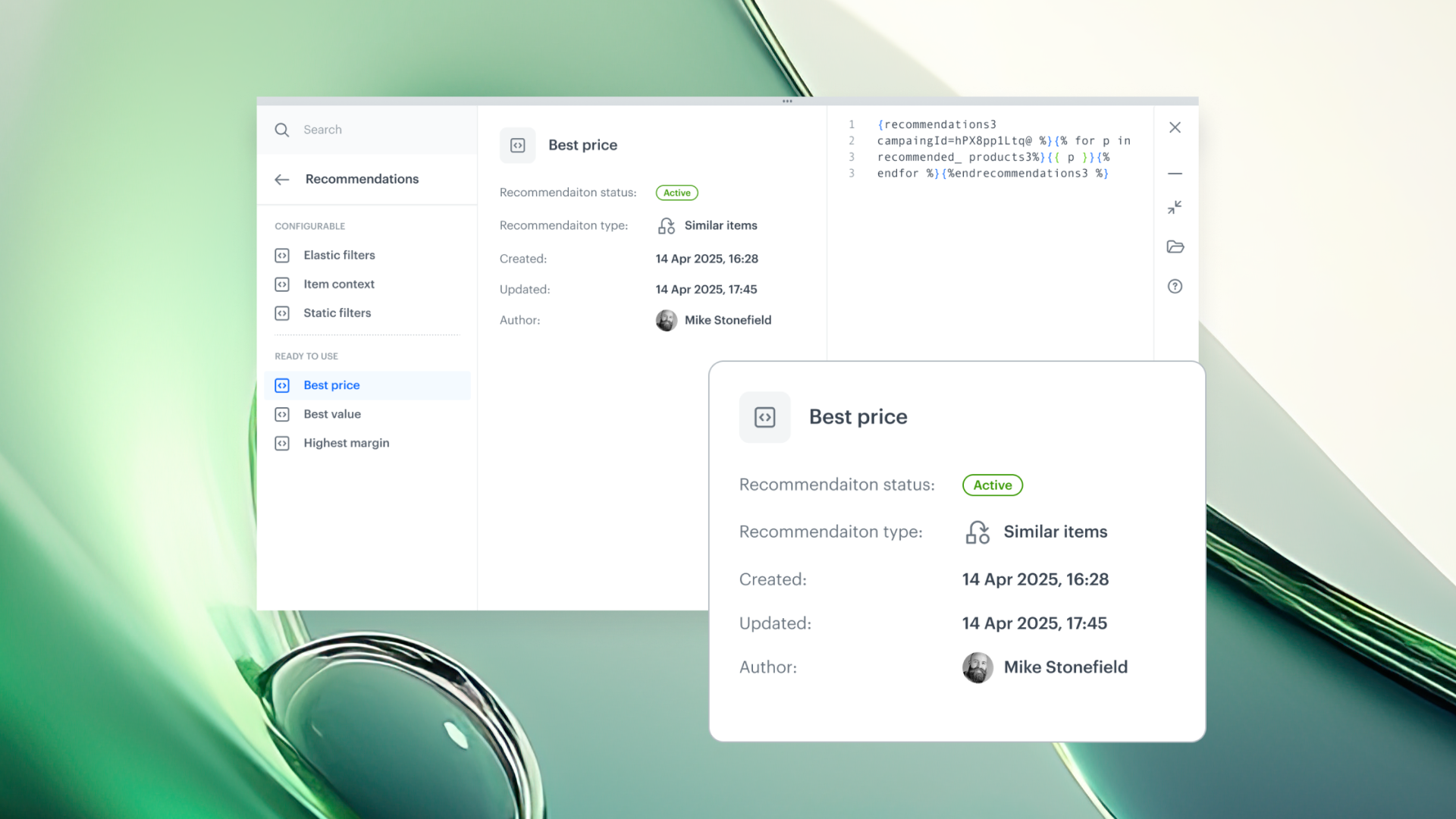
Every predefined snippet now shows contextual metadata - automatically. Depending on object type, you’ll see:

  • Creation and update dates– instantly check if content is still up to date
  • Recommendation type and status – understand business rules at a glance
  • Voucher pool size / assignment count – monitor available inventory

And now:
- Open objects directly from the Snippet panel
- Jump into documentation without leaving your workspace

Smarter Snippets = fewer questions, faster execution.
No more second-guessing. Just build, reuse, and scale with confidence.

Use Cases

We’ve expanded our use case catalog with new, real-world scenarios! 🚀 Built on insights from our customers and powered by the latest features in our platform, these use cases are designed to help you unlock even more value.
Campaigns

Snippet Metadata, Now With Direct Object Access

Stop chasing details across tabs. Now, every predefined snippet comes packed with real-time metadata and direct links to related objects. With contextual insights built in, your team stays aligned, decisions get faster, and your build flow stays uninterrupted.

Stop guessing. Start executing.
Now, every predefined snippet comes with rich metadata and instant navigation, helping you stay in flow and in control.

Overview

How many tabs do you need to answer one question?
"What is the type of this recommendation?"
“How many unassigned vouchers are in the pool?”
"Who owns this recommendation?"

Until now, even small checks meant bouncing between menus, documentation, and different views - slowing down your work and breaking focus.

The latest upgrade introduces a smarter way to work with Snippets. With a built-in metadata panel and direct access to related objects, every answer is exactly where you need it - contextual, real-time, and one click away.

What’s New

Every predefined snippet now shows contextual metadata - automatically. Depending on object type, you’ll see:

  • Creation and update dates– instantly check if content is still up to date
  • Recommendation type and status – understand business rules at a glance
  • Voucher pool size / assignment count – monitor available inventory

And now:
- Open objects directly from the Snippet panel
- Jump into documentation without leaving your workspace

Smarter Snippets = fewer questions, faster execution.
No more second-guessing. Just build, reuse, and scale with confidence.

Newsletter sobre productos
Mantenha-se atualizado com as últimas novidades do produto Synerise, novos recursos e insights práticos entregues diretamente na sua caixa de entrada. Basta assinar nossa comunicação semanal!
Thank you! Your submission has been received!
Oops! Something went wrong while submitting the form.

Principais benefícios

Explore as principais vantagens deste recurso e descubra o valor que ele agrega ao seu trabalho diário com o Synerise.

Visibilidade compartilhada, zero atrito

Todos permanecem alinhados com relação à propriedade, às atualizações e à intenção

Melhor governança, menos risco

Metadados em tempo real = menos ativos desatualizados em jornadas voltadas para o cliente

Trabalho em fluxo

Atualize, edite, navegue e nunca perca o ímpeto em sua construção

Use Cases

Explore real-life use cases that demonstrate how to apply this feature in practice through inspiring, ready-to-use scenarios that solve real challenges.
No items found.

Compartilhe seus comentários conosco!

Quer compartilhar suas ideias ou tem alguma dúvida sobre este artigo?
Deixe uma mensagem — adoraríamos ouvir sua opinião!
A Synerise é a controladora dos seus dados pessoais processados com a finalidade de atender à sua solicitação especificada neste formulário. Você pode retirar seu consentimento a qualquer momento entrando em contato conosco. Para obter mais informações sobre como processamos seus dados pessoais e quais são os seus direitos, consulte nossa política de privacidade.
Thank you! Your submission has been received!
Oops! Something went wrong while submitting the form.